Automated invoices
directly from Bitrix24
Connect Oblio, FGO, SmartBill or Facturis with Bitrix24 — pick one or use them all. The robot catches every won deal and issues the invoice on its own, without you ever touching a spreadsheet.
How it works
3 steps to your first automated invoice
Connect
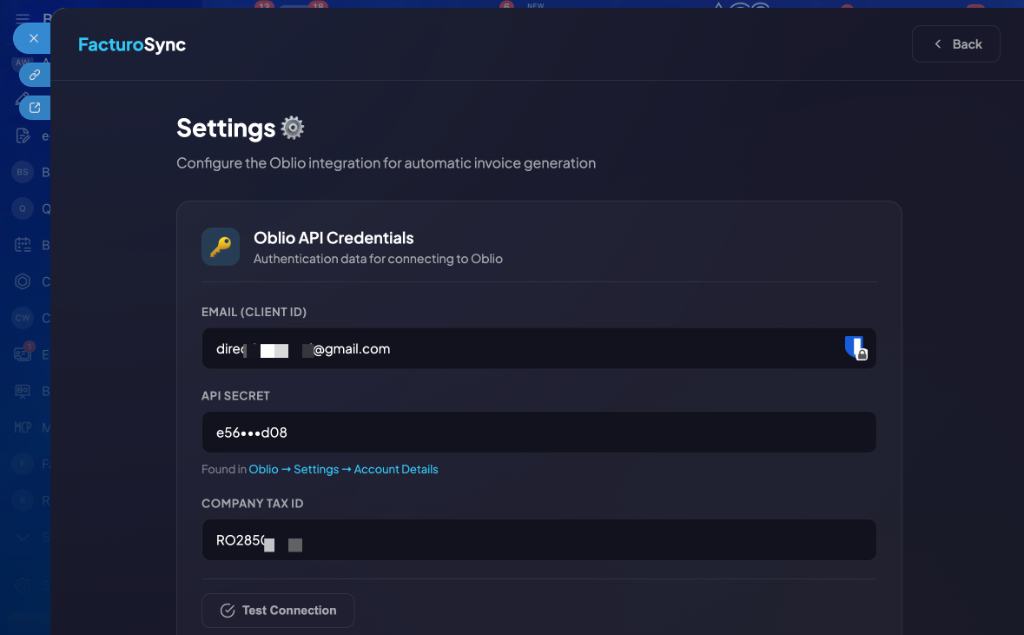
Click "Install" in Bitrix24 Marketplace. Pick your provider (Oblio, FGO, SmartBill or Facturis) and paste the API key. Two minutes, no technical steps.
Configure
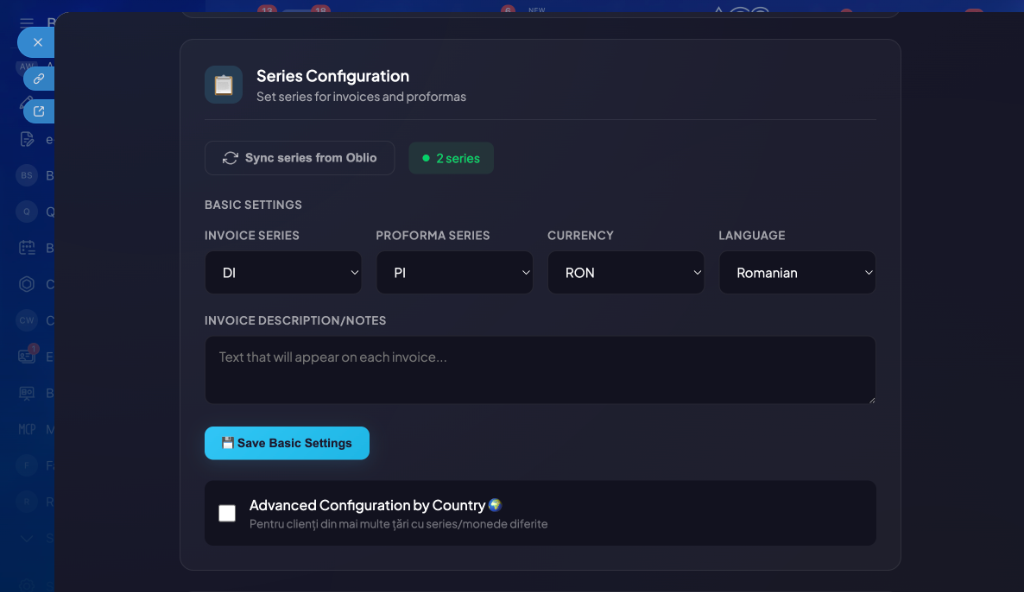
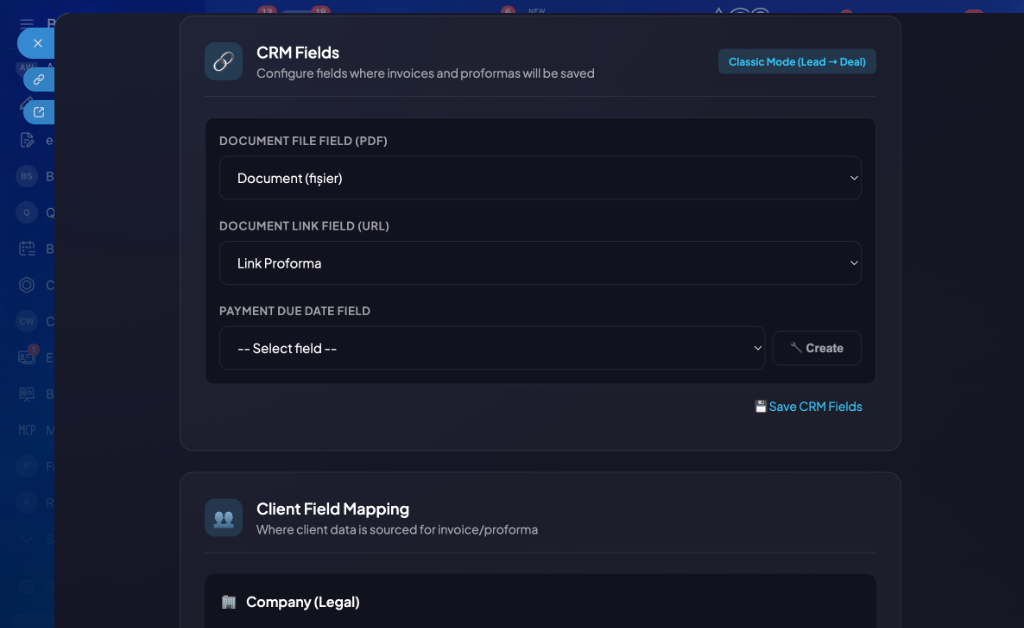
Choose invoice series, currency, language and map CRM fields (company, tax ID, address). All from inside Bitrix24.
Automate
Add the FacturoSync robot to your pipeline. On each stage change, the invoice or proforma is generated automatically and the PDF appears in the deal.
Everything you need for invoicing
From automatic generation to a complete dashboard — all integrated in Bitrix24
Bizproc Robot
The "FacturoSync: Generate Document" robot triggers automatically on pipeline stage changes. Configurable per deal or lead.
Automatic PDF in CRM
The invoice PDF lands in the deal automatically — downloaded from Oblio or FGO, or received as binary via API from SmartBill and Facturis. Document link saved in a separate field for quick access from the timeline.
Multi-currency & country rules
Reads the deal currency (RON, EUR, USD) and forwards it to the chosen provider. For international clients, set per-country rules: different series, document language, final currency.
Statistics dashboard
Real-time view: generated documents, totals per currency, recent documents table. Everything in one place.
Client mapping & tax ID
Automatically detects company or contact from the deal and maps the fiscal fields. ANAF lookup for Romanian tax IDs, on both Oblio and SmartBill.
Duplicate prevention & timeline
Checks if a document already exists before generation. Success or error messages posted automatically in the deal timeline.
Intuitive interface
Simple configuration, immediate results — all within Bitrix24
Simple & transparent
One plan with all features included
FacturoSync Pro
- Access to all 4 providers (Oblio, FGO, SmartBill, Facturis)
- Bizproc robot — full automation
- Automatic PDF attached in deal
- Multi-currency (RON, EUR, USD) + per-country rules
- ANAF e-invoice (via Oblio or SmartBill)
- Statistics dashboard
- Automatic client mapping + ANAF tax ID lookup
- Dedicated support in Romanian
Frequently asked questions
Answers to the most common questions about FacturoSync
Very simple. Install from Bitrix24 Marketplace, pick the provider (Oblio, FGO, SmartBill or Facturis), paste your API key, and map the tax ID and address fields. Around 5 minutes total — no server settings, no webhooks.
We currently work with 4 Romanian providers: Oblio.eu (the most popular), FGO.ro, SmartBill and Facturis Online. All of them are live and fully integrated — pick one in settings, switch whenever you want. The only detail to know: ANAF e-invoice via SPV works natively only through Oblio and SmartBill.
No. Once the robot is configured in the pipeline, each stage change triggers automatic invoice generation. The PDF is attached to the deal and the status appears in the timeline. Works 24/7.
Yes. FacturoSync reads the deal currency (RON, EUR, USD) and forwards it to your chosen provider. For international clients, configure per-country rules — different series, document language, final currency. Works on all 4 providers.
FacturoSync automatically checks if a document has already been generated for that deal. If so, it won't create a duplicate and posts a message in the timeline. Zero risk of duplicate invoices.
No, no card. You sign up and get 30 full days to try everything — robot, dashboard, multi-currency, e-invoice, the lot. If at the end you decide it's not for you, you simply don't pay; the app loses permission to issue new invoices, but your settings stay there in case you change your mind.
Absolutely. FacturoSync doesn't store your invoices or client data on our servers. The app only facilitates communication between Bitrix24 and the invoicing platform. The connection uses OAuth2 over HTTPS, and tokens are encrypted with AES-256-GCM.
Ready to start?
The app is available in the Bitrix24 Marketplace. Set the provider, the robot, and you're off. 30-day trial, no card.
Install from Marketplace — 30 days free